Wednesday, September 11, 2013

Interactive Storytelling in The Last of Us.

I watched the walk-through of The Last of Us. If you haven't seen to the end/played to the end any game by NaughtyDog, then I bet the ending will catch you by surprise.

I loved it.

I like to categorise and keep a record of things which I am doing. I religiously scrobble my songs to Last.fm. I record every book I read with the finish date on Shelfari. I will need to create a new category here: interactive story watched as a movie. Or maybe as a TV series.

I will add Bio Shock Infinite to it. Perhaps Psychonauts too, I saw David play it (almost) to its end while sitting next to him.

I would add Dear Esther to it as well, but I actually played that game. It was a good storytelling experience, but it gave me motion sickness.

I prefer the non-interactive storytelling experience (like a movie), but with the kind of stories which are being told via an interactive medium today (in video-games).

It reminds me of the time I used a Kindle as bookmarker in a physical book I was reading. I know that there is irony in there somewhere; I just cannot put my finger on it.

Tuesday, March 19, 2013

mitmproxy as a reverse proxy

It turns out that thanks to the powerful scripting interface, mitmproxy can be used as a reverse proxy to redirect calls to different servers easily:

revProxy.py

import os

proxyHost = os.environ['PROXYHOST']

def request(ctx, r):
   if r.request.path.startswith('/api'):
       # Proxy calls with /api prefix to proxyHost
       r.request.headers['Host'] = [proxyHost]
       r.request.scheme = 'https'
       r.request.host = proxyHost
       r.request.port = 443
   else:
       # Proxy other calls to localhost:8000 with some rewriting

       if r.request.path.endswith('/'):
           r.request.path += 'index.html'

       r.request.scheme = 'http'
       r.request.host = 'localhost'
       r.request.port = 8000
   # end if
# end def request
Then use mitmproxy as:
PROXYHOST="my.apps.domain" mitmproxy -s revProxy.py

Friday, January 18, 2013

Two room problem

I had a problem.

I fractured my foot last month, on 6th December, and now am walking with crutches. I have largely recovered now, but one excruciating problem I face is having no free arms while going from room to room. That means I cannot bring food to the table from the kitchen, nor carry used plates, glasses, etc. to the kitchen. However, those problems were easy to solve: just eat in the kitchen and drink from reusable bottles.

The real problem was carrying my work around. I sit in the living room (which is large, airy and has a nice window) and lie down in my bedroom (which is a little cloistered but comfortable and snug). I had to constantly pack my work laptop in my backpack and carry it from one place to another since I like to work at both places. This annoyed me to no end, until I found a solution.

The solution was simple: use two laptops. I keep my personal laptop in the bedroom, work laptop in the living room and travelled light between the two places. Work related things are synced using Google Apps and git while my personal things were synced using Dropbox.

On top of that, I use my phone to make calls, and my Kindle (which also fits in my pockets) to read. So I don't have to carry anything in my hands.

I had got my PC as a present from one of my uncles in 1998. Then I stuck with it (replacing it part by part) for the next decade (!) before I got my first laptop in 2008. And that was a luxury. It has only been  5 years since and the computing power I have in my life has increased about 5 folds. I am suddenly living the first-world technophilic life.

When did that happen?

2012: Books

Read surprisingly few of those this year and did not keep up my implicit promise of reviewing all of them. Though few in number, they made up in the quality. It is hard to pick the best one from among the likes of Museum of InnocenceFlowers For AlgernonThe Long Earth and The Glass Bead Game.

The Museum of Innocence was a behemoth, taking me through vicissitudes of Kemal Bey, and has to be noted for the massive closure it brought me by its very last line. However, that does not make a book good, it just makes it worth while; the quality of the book was in its calmness.

Flowers for Algernon was a book which hit deep. The subject matter and the plot lies very close to my heart. However, before it became a novel, it was a short story and the slightly sketchy characters and slightly incomplete threads end up showing in the book. Also, though the perspective of Charlie Gordon accentuates the book's poignancy, it at times makes it difficult to enjoy the story as a whole.

The Long Earth was more a treatise on evolution, humanism, politics and life. However, it contained just enough surprises, emotions, and nuclear bombs to keep it from becoming a little drab like The Glass Bead Game. Joshua and Lobsang, an unlikely team, ended up becoming the one of the best partners I have ever encountered in fiction, reminding me of Rupert Birkin and Gerald Circh from D. H. Lawrence's classic Women in love. Another USP of this book was that it was co-written by Terry Pratchett and plays with the inchoate boundary between "hard" Sci-Fi and Fantasy. This is the book which game me the latest name of my laptop: EarthWestOne, and now I am eagerly awaiting the sequel: The Long War. I cannot wait to meet First Person Singular, Mark Trine, and the next iteration of Lobsang.

But, the book which stole the show for me was Seabiscuit: An American Legend. This book made my heart race and was far better than most works of fiction I have read when it came to suspense, character development, story, crescendo, feints, and climax. However, don't read the epilogue in the same siting as the rest of the book.

Karna: Part One

Another interesting and special book I read last year was Karna, the debut novel of my friend Kartik Kaipa. It is based on the great Indian epic: Mahabharata. The characters are the same, the events are the same, the story is the same, the setting is the same and even the super-natural elements are the same. What change is the narration and some relatively minor details. Contrary to the usual pious tone reserved for the religious epic, Kartik makes the story take a more down to earth, and at times blasphemous, mien. His narration is sharp, at times humorous, and honest to the point of making one's bones ache. There is a point where he even breaks character to say some words about equality between women and men and Indian culture.

The story is well researched, with enough accuracy to allow him to bend the details his way. The protagonist of the story, Karna, has seen his ascension and is about to set on his journey as this book ends. I am eagerly awaiting the next two books planned in the series.

Saturday, August 25, 2012

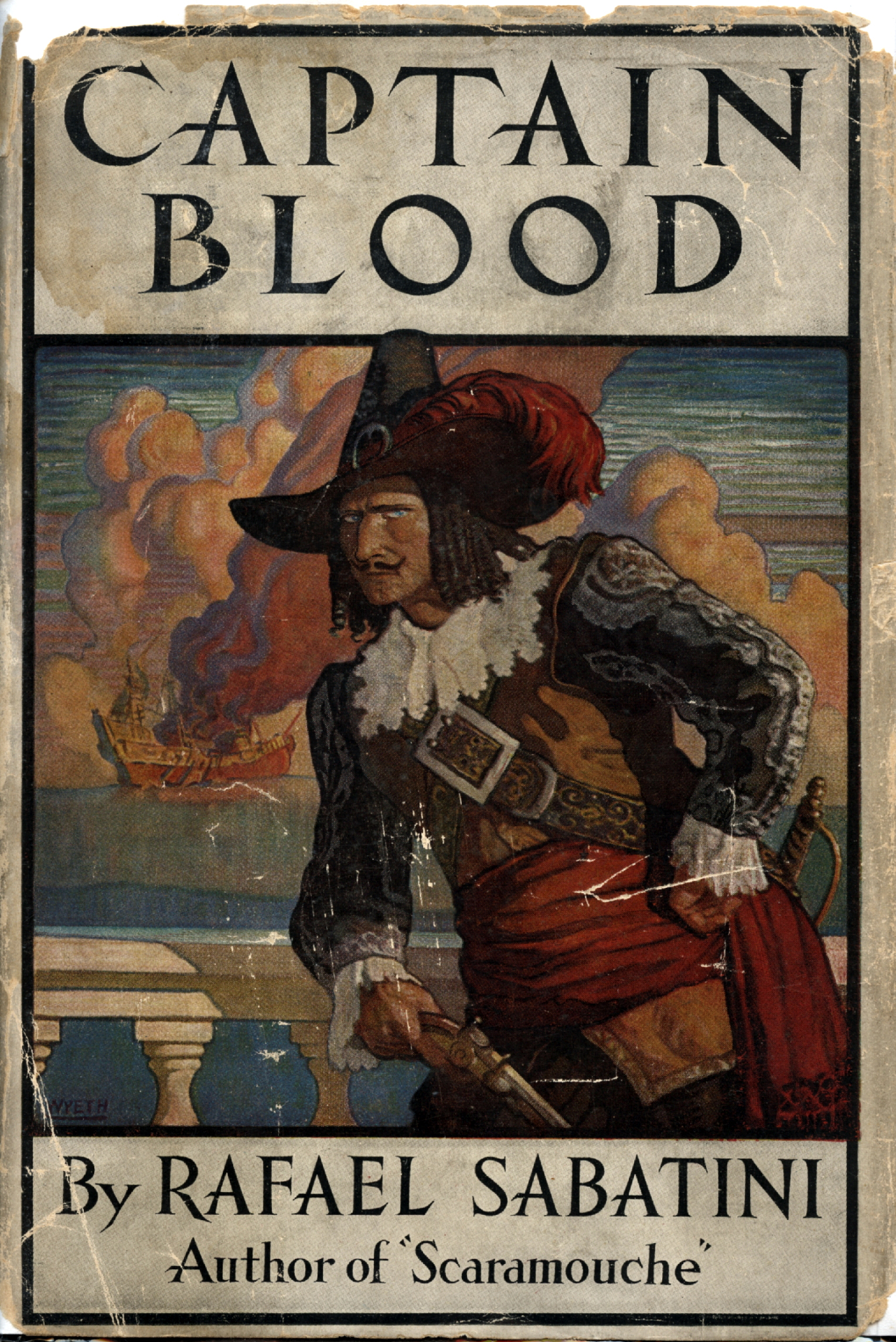
Book Review: Captain Blood

Captain Blood by Rafael Sabatini
While browsing through the audio books on LibriVox, I came across this book. I had just read some Sci-Fi (Permutation City, which was good) and I wanted something more epic in scale, like one of the Dicken's novels. So this was the best fit. It turned out to be a good choice, it kept me good company for the next week.

I listened to this book in twenty minute chunks during my commute to and from the office. All the voices who read the story back to me were clear and precise, though I did find it a little difficult to relate to the Captain's character after hearing multiple renditions of his voice.

The book is well written, even though a bit clichéd. The story is fairly simple but with some twists and turns which kept me on the edge of my seat. The story is coherent and well told. The narrator has gathered these stories of the Captain from the logs kept by one of his buccaneering companion (Jim). The primary theme of the novel is the love between Arabella Bishop and Captain Blood and the narrator breaks-character to give reader glimpses about certain future events which concern it. However, otherwise the narrator remains chronological.

Sunday, July 29, 2012

Pre-allocate your vectors

Or else welcome the good ol' friend, the O(n^2) back in your life.

There are three common ways people add elements to vectors in R. First way:

f1 <- function (n) {
    l <- list()
    for(idx in 1:n) {
        l <- append(l, idx)
    }
    return(l)
}

This is bad. It does what it looks like: adds one element to the vector and then copies it to another variable, which just happens to be the same variable 'l'. This is clearly O(n^2).

The second method is this:
f2 <- function (n) {
    l <- list()
    for(idx in 1:n) {
        l[[length(l) + 1]] <- idx
    }
    return(l)
}

This approach looks decent because, coming from a Python and Java background, a good implementation would allow appending elements to vectors in amortized O(1) time. However, this holds an unpleasant surprize. Another good ol' O(n^2) in lurking in the shadows here.

Time taken to create a vector of size n
The method f2 is arguably better than f1, but none of them is any match for f3 which simply uses pre-allocation:

f3 <- function (n) {
    l <- vector("list", n)
    for(idx in 1:n) {
        l[[idx]] <- idx
    }
    return(l)
}


Of course these are just cooked up examples, but it is not difficult to imagine situations where such incremental creation of list is inevitable (think reading from DB cursors). For this particular example, the fastest solution involves a sapply but is not much faster then f3:

f4 <- function (n) {
    return(as.list(sapply(1:n, function (idx) idx)))
}

So in most cases it'll be better to overestimate the number of items in a list and then truncating it to the right size than dynamically expanding it.

And don't forget to smile and wave at the hidden O(n^2)!

~
musically_ut

PS: If you want to run the profile yourself, here's the gist of the functions and the profiling code.

Colors in R console

Update 2: The colorout package has moved again and is now available on GitHub.

install.packages('devtools')
library(devtools)
install_github('jalvesaq/colorout')

Update: The colorout package on CRAN has not been updated to be compatible with R version 3.x.x yet. However, if you compile and install it yourself, it still works.

download.file("http://www.lepem.ufc.br/jaa/colorout_1.0-1.tar.gz", destfile = "colorout_1.0-1.tar.gz")
install.packages("colorout_1.0-1.tar.gz", type = "source", repos = NULL)

 R console


Let's face it, the R-console is one of the more uninviting things I have seen, perhaps second only to the Ocaml console which comes without readline.

This is what my (and probably your) R console looks like this:
R console without color
What I see on the console is a single color which, firstly, makes it a challenge to separate stderr, output, warnings and errors, and, secondly, is just boring. I did not know what I could do about it and I stuck with it because the only other option seemed to be moving to a GUI (JGR or Rstudio). This is not to say that there is something wrong with the GUIs, but I prefer working with only my keyboard and, hence, shun GUIs almost as a rule. (Eclipse for Java is an exception.)

But it changed when I discovered the package colorout on CRAN, which makes my console look like this:
R console with color (using colorout)
This makes it remarkably easier to differentiate different forms of output.
The coloring is not perfect (notice that the second '-' in the interval outputted for tmp30 is assumed to be a negative sign instead of being a separator), but I would choose it any given day over the drab single color.
I did need a little tweak to my .Rprofile file since I did not like the way the default settings display the error:

~
musically_ut